

Workflow
Facebook comments + Workflow AI
1 min read Updated 5 September 2024
We have the "Respond on Comment" action. In this action you can enter multiple pre defined comment options but what if you want to tailor your comments based on the comment of the user. This is possible now using the GPT action.
How to use?
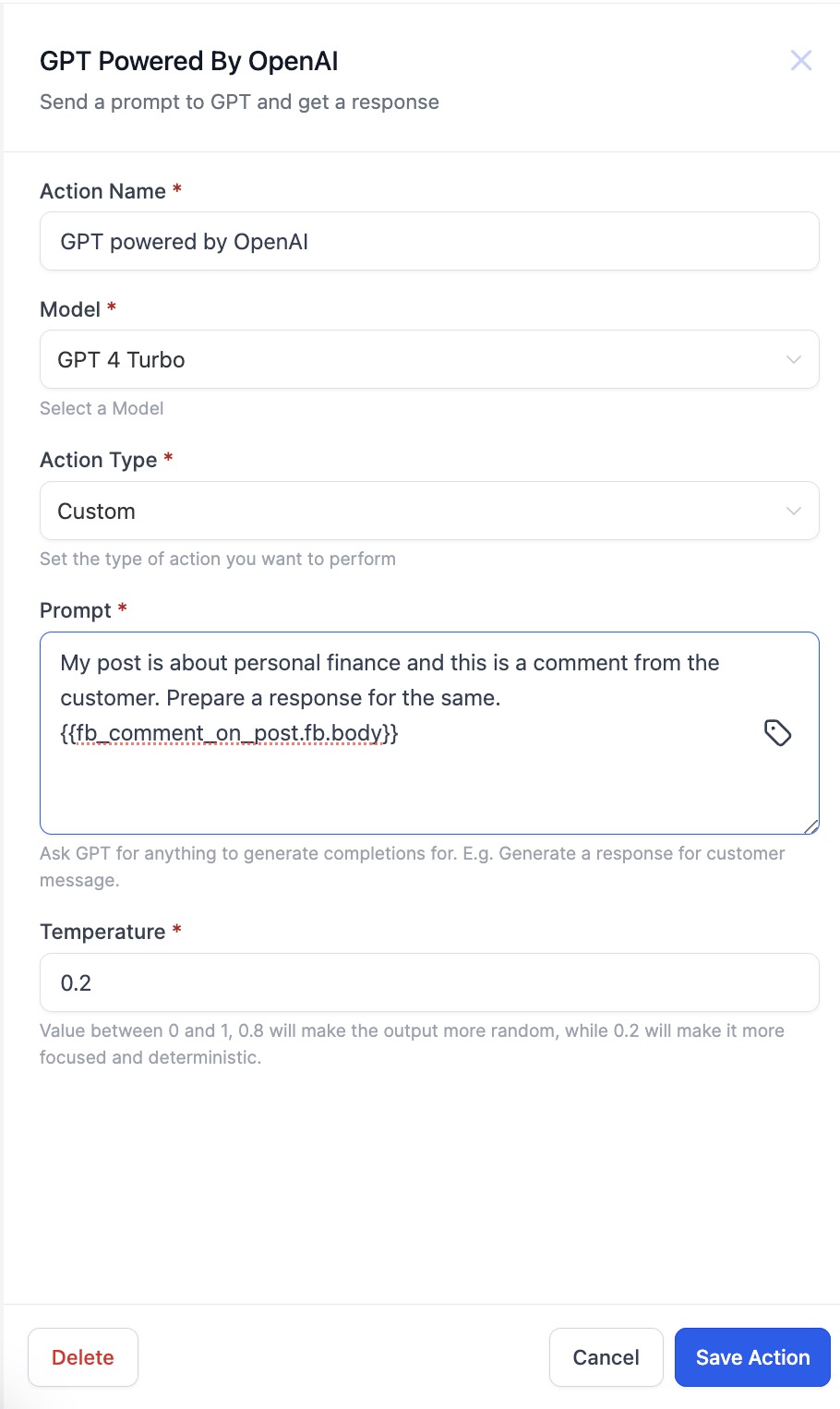
- Add a "GPT powered by OpenAI" action before the "Respond on comment" action. (Please make sure that Facebook - User comments on a post or Instagram - User comments on a post trigger is available).
- Select the Action Type as Custom and write the Prompt about how you want your response on the comment.
- From the custom value picker select the Facebook or Instagram Comment body and Save the action.
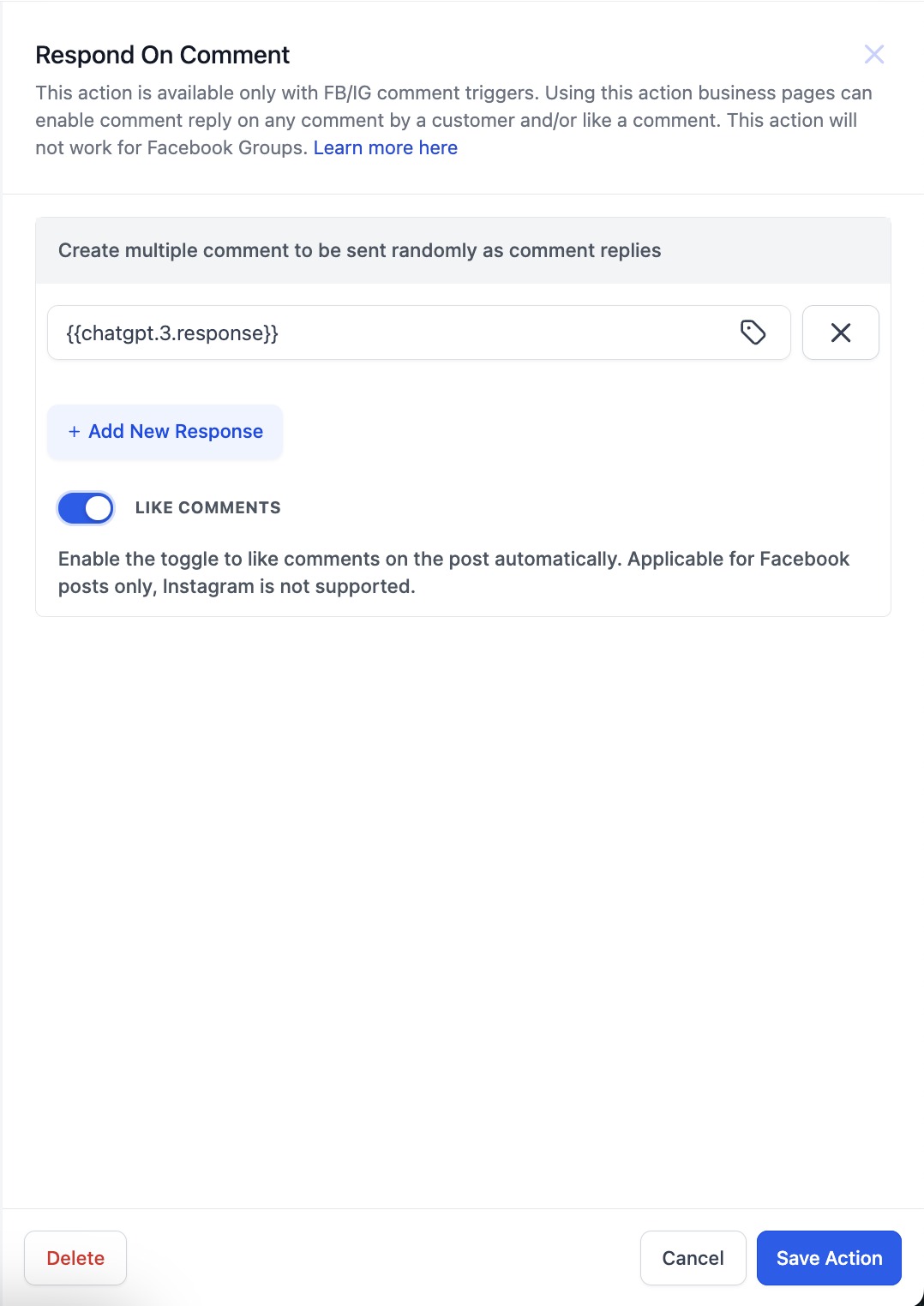
- Now add the "Respond on comment" action.
- In the response field from the custom value picker select the response from the GPT action.
More in Workflow
- Set Event Start Date Event In Workflows
- How to use the Inbound Webhook Workflow Premium Trigger?
- How to use the Custom Webhook LC Premium Workflow Action?
- How to use the Workflow Slack Premium Action?
- How to use the Date/Time Formatter Premium Workflow Action?
- Action - Update Contact Field
- Workflow Trigger - Payment received
- How to use the Number Formatter Premium Action?
- Action - Update Custom Value
- How to set up Workflow Goal Events
- Workflow Settings - Overview
- How to copy contact to another account?