

Workflow
How to copy contact to another account?
1 min read Updated 19 November 2023
Copy Contact
Copy Contact enables copying contact to another account.
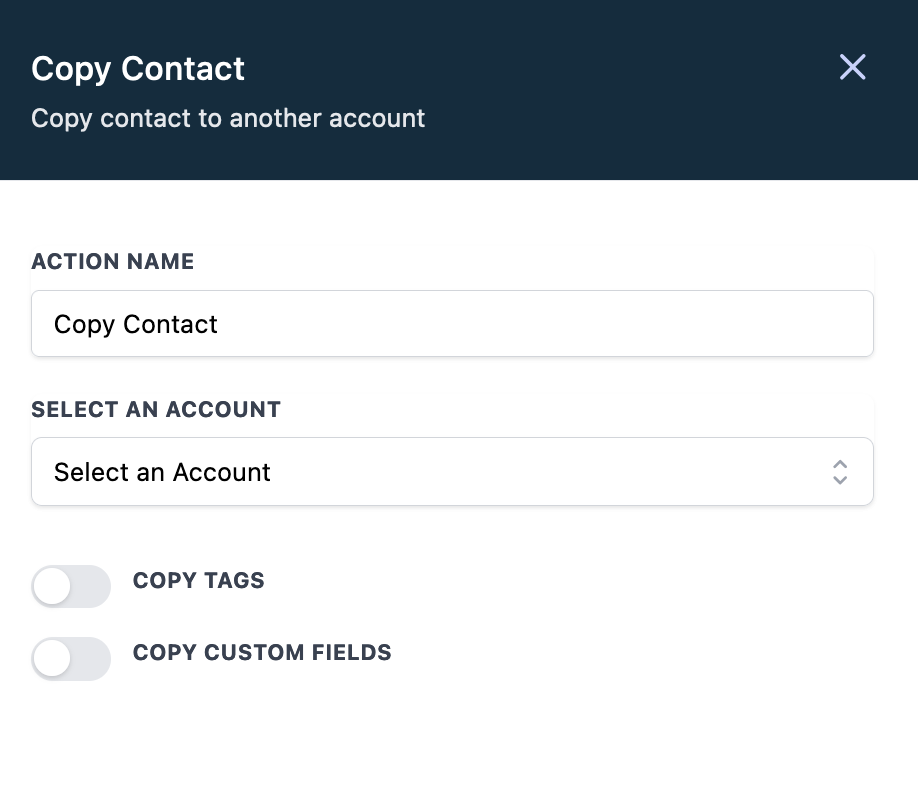
Select an Account
The contact will be copied to the selected account. Only the accounts that the logged in user has access to will be listed here.
Copy Tags
If enabled, contact tags will be copied to the selected account.
Copy Custom Fields
If enabled, contact custom fields will be copied to the selected account. The custom field value will be copied only if that field exist in the selected account.
More in Workflow
- Set Event Start Date Event In Workflows
- How to use the Inbound Webhook Workflow Premium Trigger?
- How to use the Custom Webhook LC Premium Workflow Action?
- How to use the Workflow Slack Premium Action?
- How to use the Date/Time Formatter Premium Workflow Action?
- Action - Update Contact Field
- Workflow Trigger - Payment received
- How to use the Number Formatter Premium Action?
- Action - Update Custom Value
- How to set up Workflow Goal Events
- Workflow Settings - Overview
- Workflow - Array Functions Premium Action