

Resend Campaign Visibility & Control
This article explains how to automate and manage resend campaigns, enabling you to pre-configure resends for unopened emails, track them easily, and edit or cancel them before they go out. Improve your email engagement with smarter campaign strategies.
What is Resend Campaign Visibility & Control?
This feature improves how you manage resending emails to contacts who didn’t open the original email. You can now pre-configure resend settings during campaign creation and monitor or update them right from the campaign list.
Key Benefits of Resend Campaign Visibility & Control
Easily boost your email campaign performance while saving time with flexible and proactive resend options.
Pre-plan resend strategies during campaign creation.
Increase email open rates with automated follow-ups.
Easily spot rescheduled campaigns using the “Waiting” label.
Quickly modify resend timing or cancel if needed.
Works with batch emails and RSS campaigns.
Reduces manual follow-up effort for marketing teams.
How to Set Up and Use Resend Campaigns
Quickly activate and manage resends during campaign creation to re-engage contacts who missed your message the first time.
Steps:
Create or Open a Campaign, Go to your Email Campaigns dashboard and choose to create a new campaign.
Click “Send” or “Schedule”, Set up the message as you normally would.
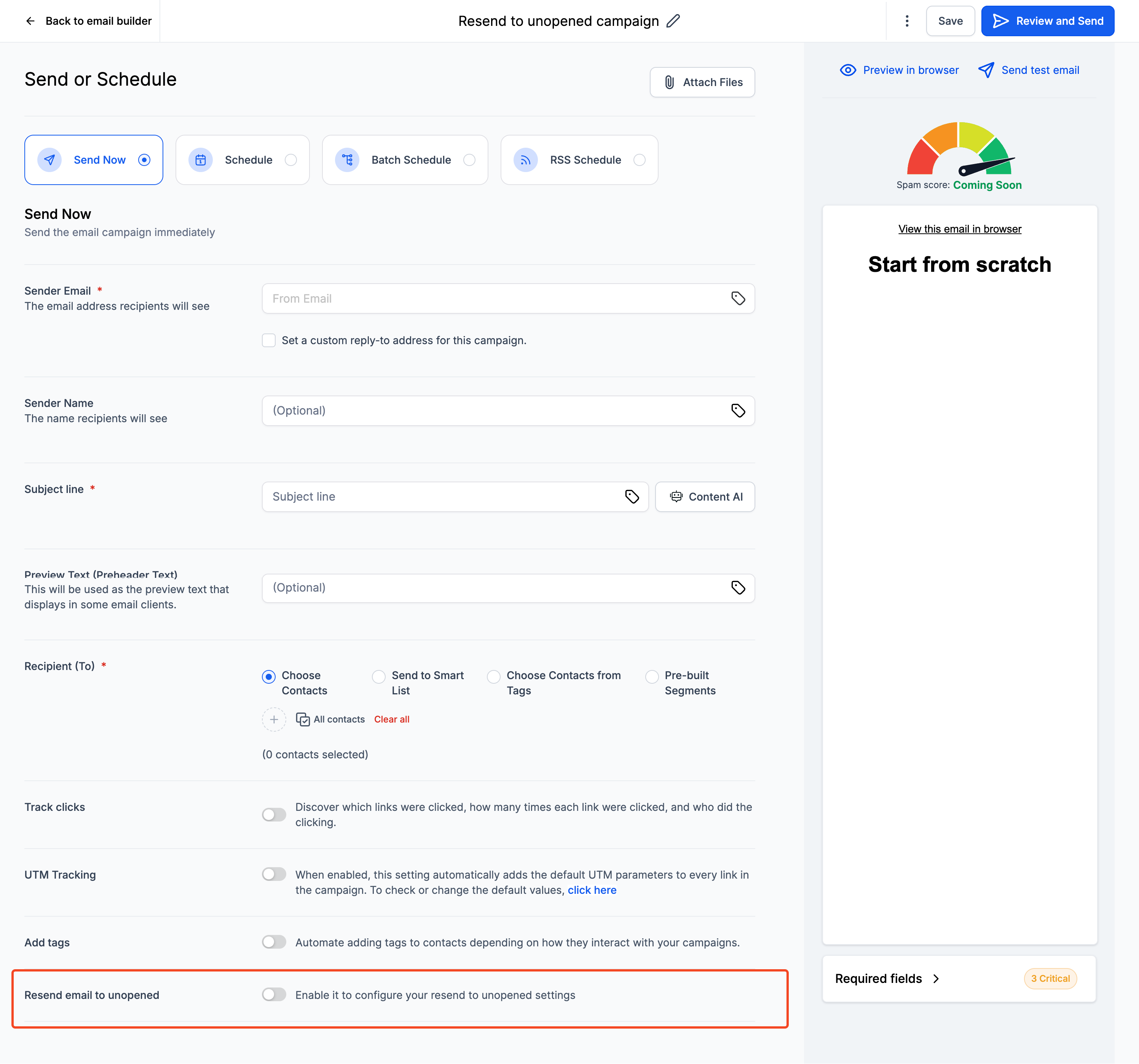
Enable Resend Settings, Toggle the option and choose:
Duration before resend (e.g., 2 days).
New subject line for the resend.
Send the Campaign, The resend is now automatically scheduled.
Track Status, The resend appears as “Waiting” in the campaign list.
Screenshot: “Waiting” label in campaign view.
Modify or Cancel If Needed, Use the three-dot menu to:
Edit resend duration.
Cancel the scheduled resend.
Resend Support for Batch & RSS Campaigns
You can now use resend features with both batch and RSS-based email campaigns.
This extends the reach of your recurring or scheduled content by ensuring missed emails get a second chance to engage your audience.
Frequently Asked Questions
Q: Can I change the subject line for the resend?
Yes! You can set a custom subject line during resend configuration.
Q: Where do I see if a resend is pending?
Campaigns with a scheduled resend will display “Waiting” in the status column.
Q: What happens if I cancel the original email?
If the original email is canceled, the resend will also not be sent.
Q: Can I resend to people who clicked but didn’t convert?
This feature only targets unopened emails. For click-based follow-ups, use automation workflows.
Next Steps
Explore analytics to evaluate resend performance.
Integrate resend strategies into your standard campaign planning.
Test subject line variations for resends to improve open rates.
More in Campaign Settings/Functionalities
- Understanding Email Campaign Statuses
- How to Send or Schedule an Email Campaign
- How to Use the Plain Text Editor for Emails
- How to Set Up Sender Preferences in the Email Builder
- How to Pause, Resume, or Cancel a Scheduled Email Campaign
- How to Build Recipient Segments in Email Campaigns
- Configuring Unsubscribe Flows (One-Step, Two-Step, Dynamic)
- How to Batch Schedule Email Campaigns
- How to use build segments in email campaigns?
- Email Builder: Create New Tags in the Send or Schedule Page
- Resend to un-opened : Best Practices and Guide
- How to Set Default Values for Custom Fields Via Conditional Sending