

Campaign Settings/Functionalities
How to Reschedule an Email Campaign (Email Builder)
1 min read Updated 31 August 2026
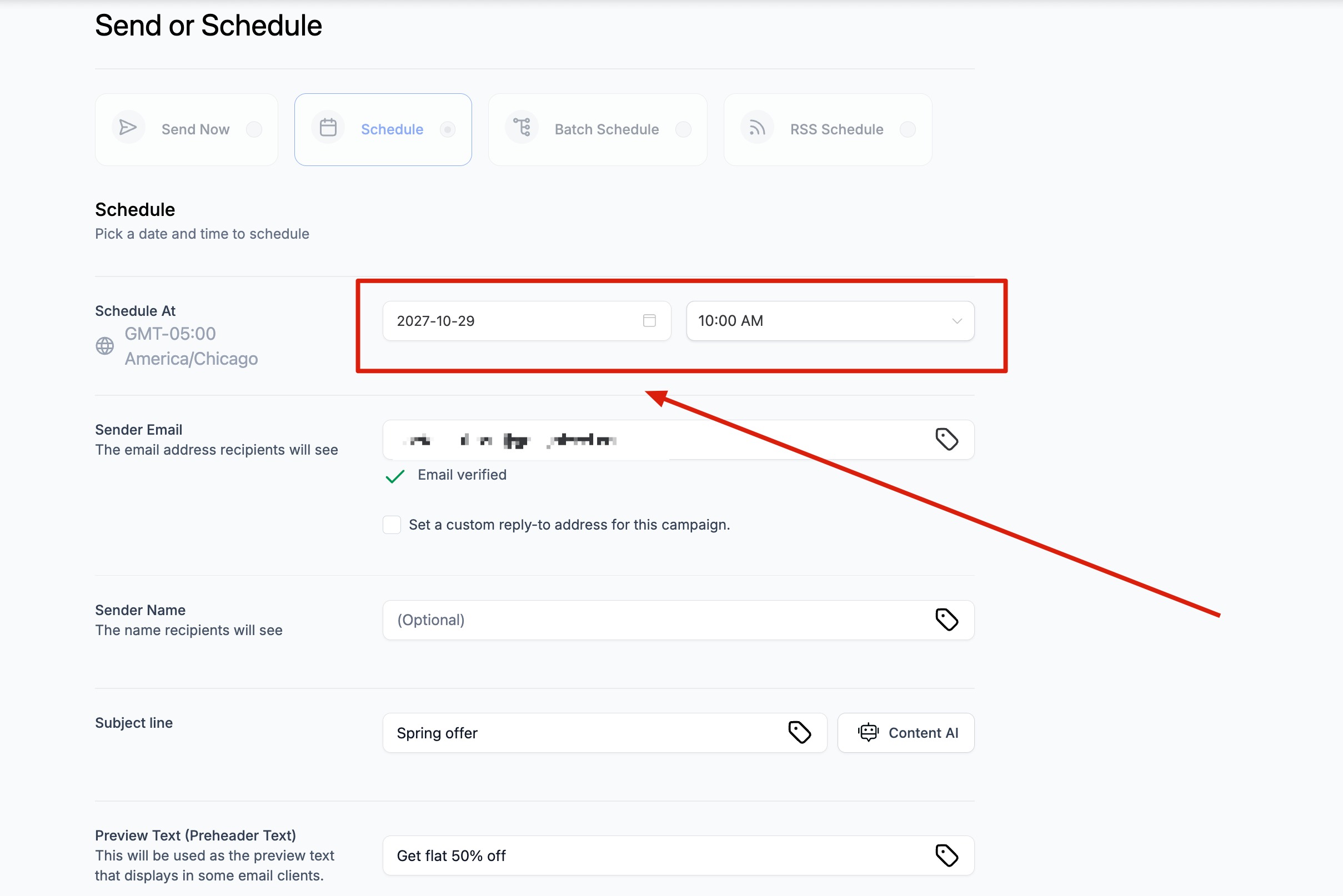
Rescheduling of Email Campaign is possible for Simple Schedule, Batch Schedule, and RSS Schedule one hour (60mins) ahead of the execution date.
The user will be required to visit Marketing > Email. Please visit the Email Campaign tab: it will have a list of Email Campaigns listed with Simple Schedule, RSS Schedule, and Batch Schedule, which can be rescheduled one hour after the execution date/time.
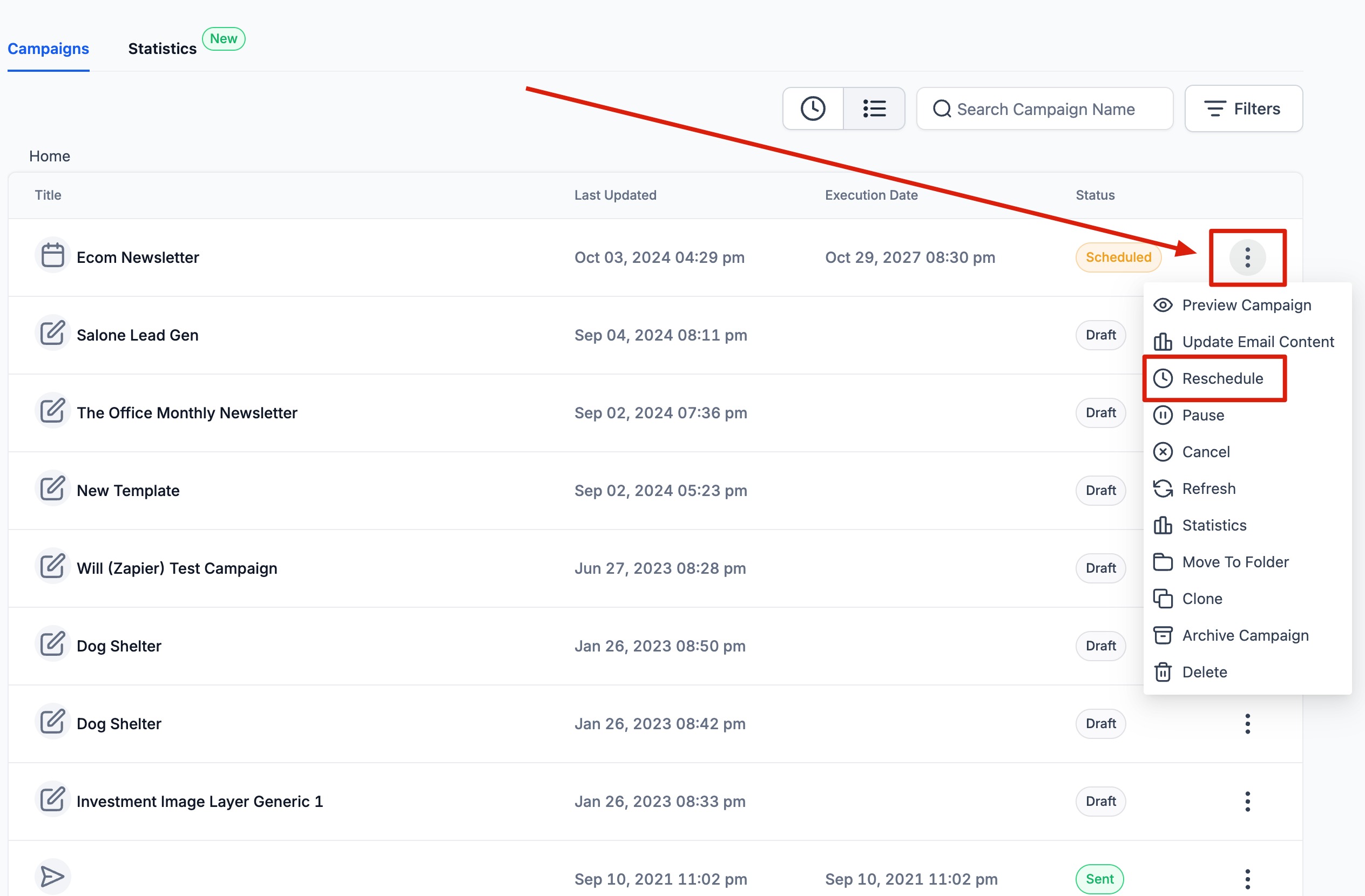
1. Under the action button drop-down, select Reschedule Campaign.
The user will be required to visit Marketing > Email. Please visit the Email Campaign tab: it will have a list of Email Campaigns listed with Simple Schedule, RSS Schedule, and Batch Schedule, which can be rescheduled one hour after the execution date/time.
Steps to Reschedule an Email Campaign
1. Under the action button drop-down, select Reschedule Campaign.
Relevant Help Docs
- Preview And Test Your Email Campaign/Templates
- Email Templates vs. Email Campaigns
- Email Builder Overview
- How to use RSS Blocks in the Email Builder
More in Campaign Settings/Functionalities
- Understanding Email Campaign Statuses
- How to Send or Schedule an Email Campaign
- How to Use the Plain Text Editor for Emails
- How to Set Up Sender Preferences in the Email Builder
- How to Pause, Resume, or Cancel a Scheduled Email Campaign
- How to Build Recipient Segments in Email Campaigns
- Configuring Unsubscribe Flows (One-Step, Two-Step, Dynamic)
- How to Batch Schedule Email Campaigns
- How to use build segments in email campaigns?
- Email Builder: Create New Tags in the Send or Schedule Page
- Resend to un-opened : Best Practices and Guide
- How to Set Default Values for Custom Fields Via Conditional Sending