

Statistics
Workflow Email Actions Included in Statistics
1 min read Updated 31 October 2025
We’ve introduced a similar way to view for all your email campaign statistics, whether sent through workflows or email campaigns, for a more streamlined analysis.
What's Improved:
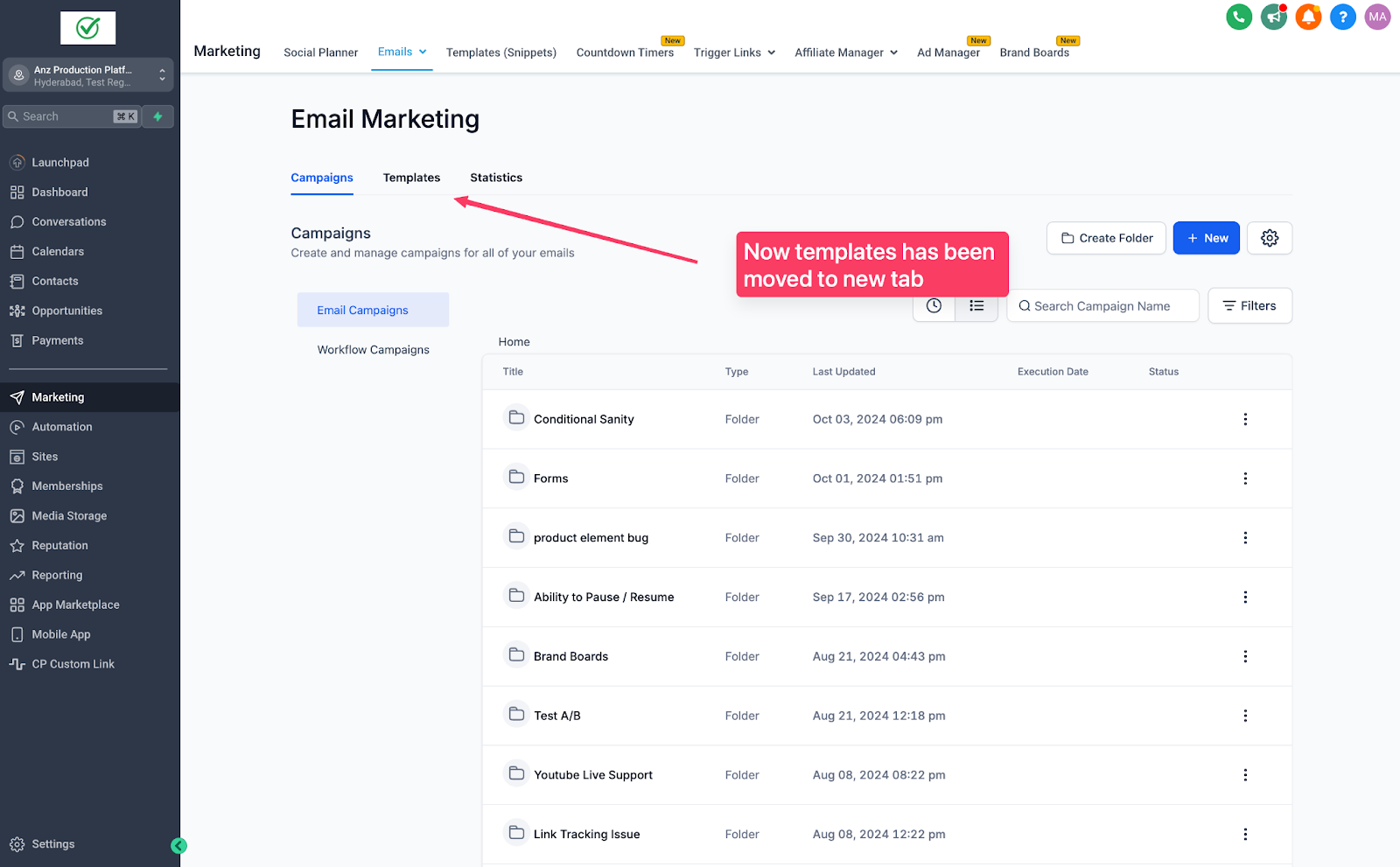
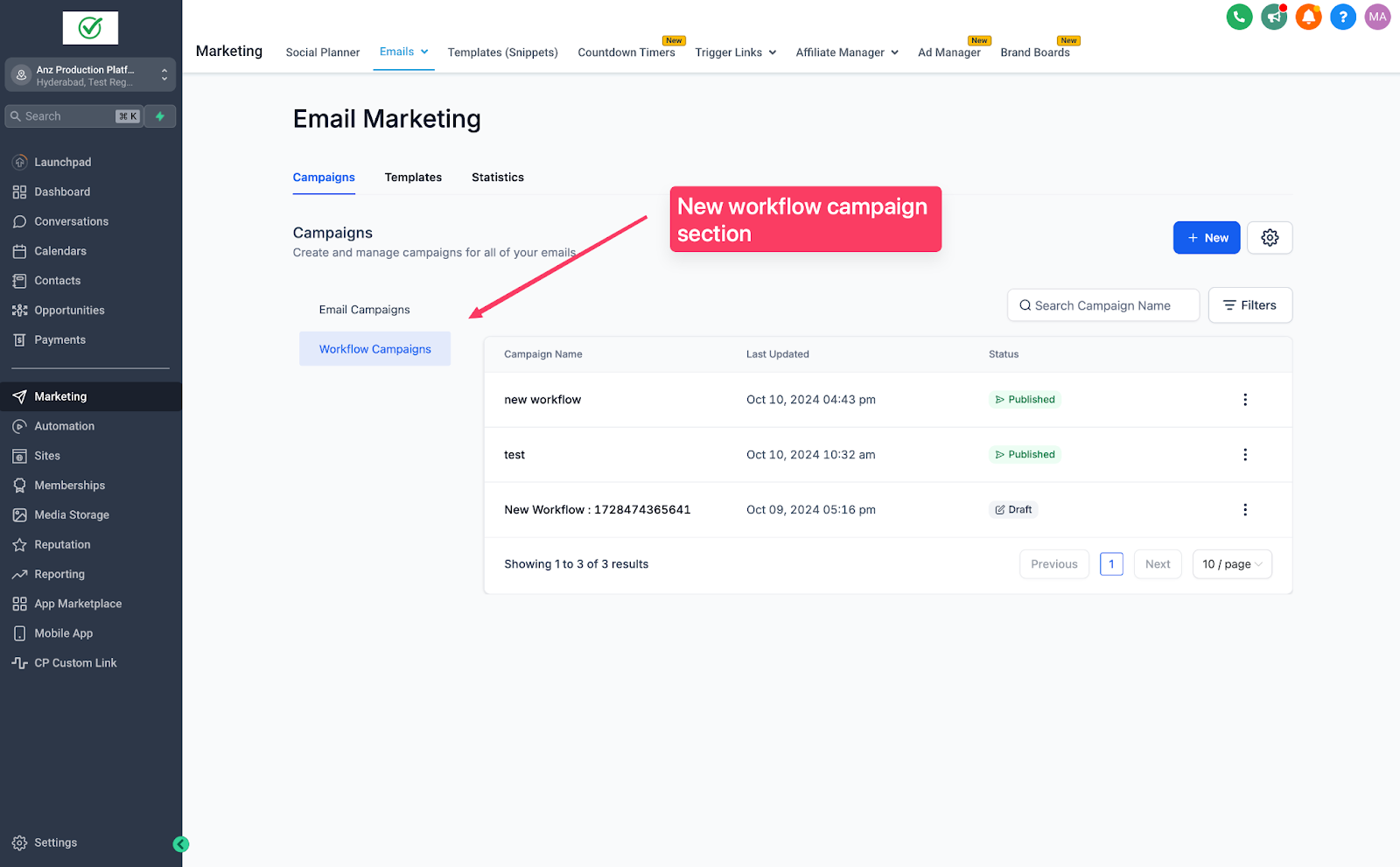
Workflow email stats now under Email Marketing.
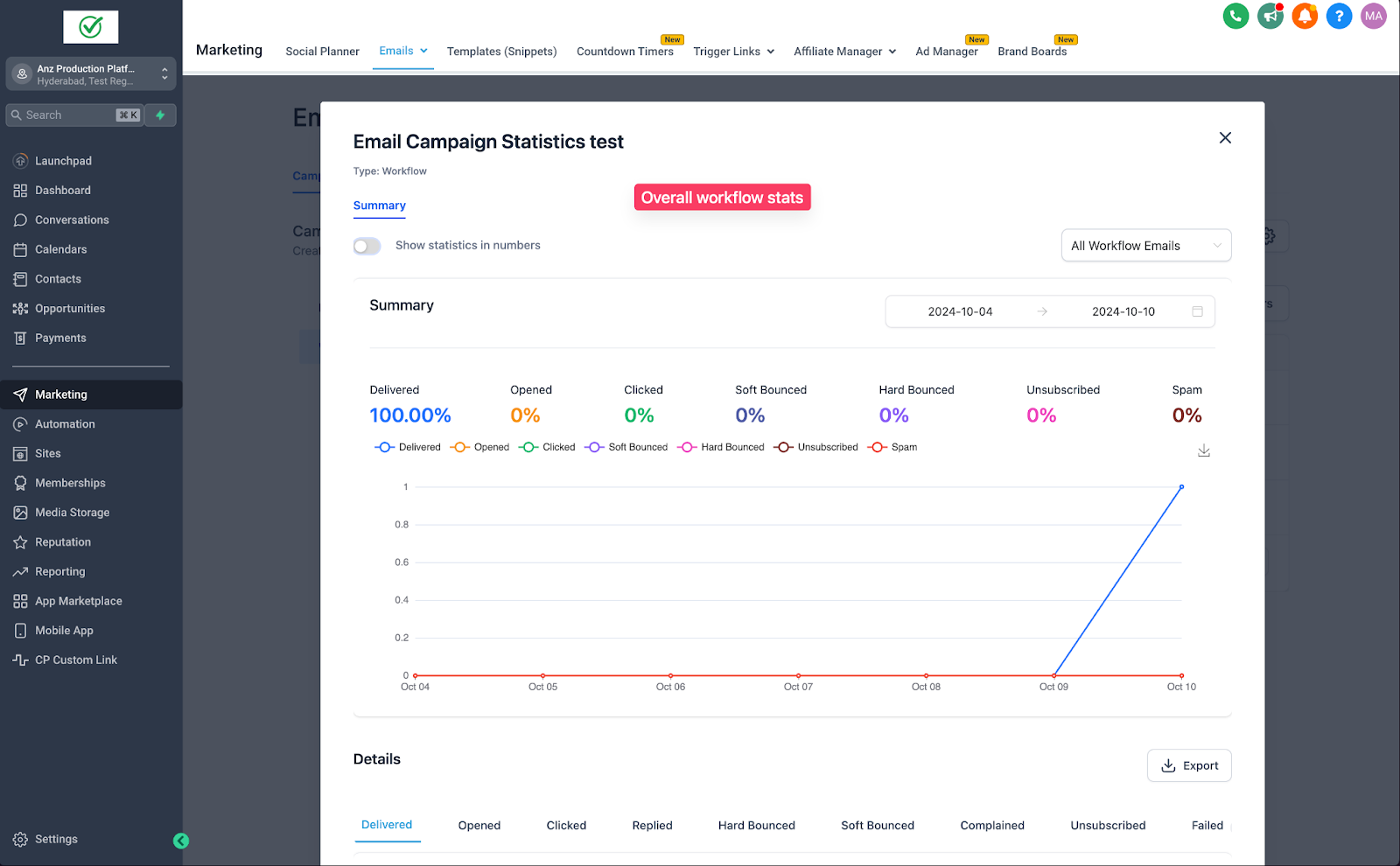
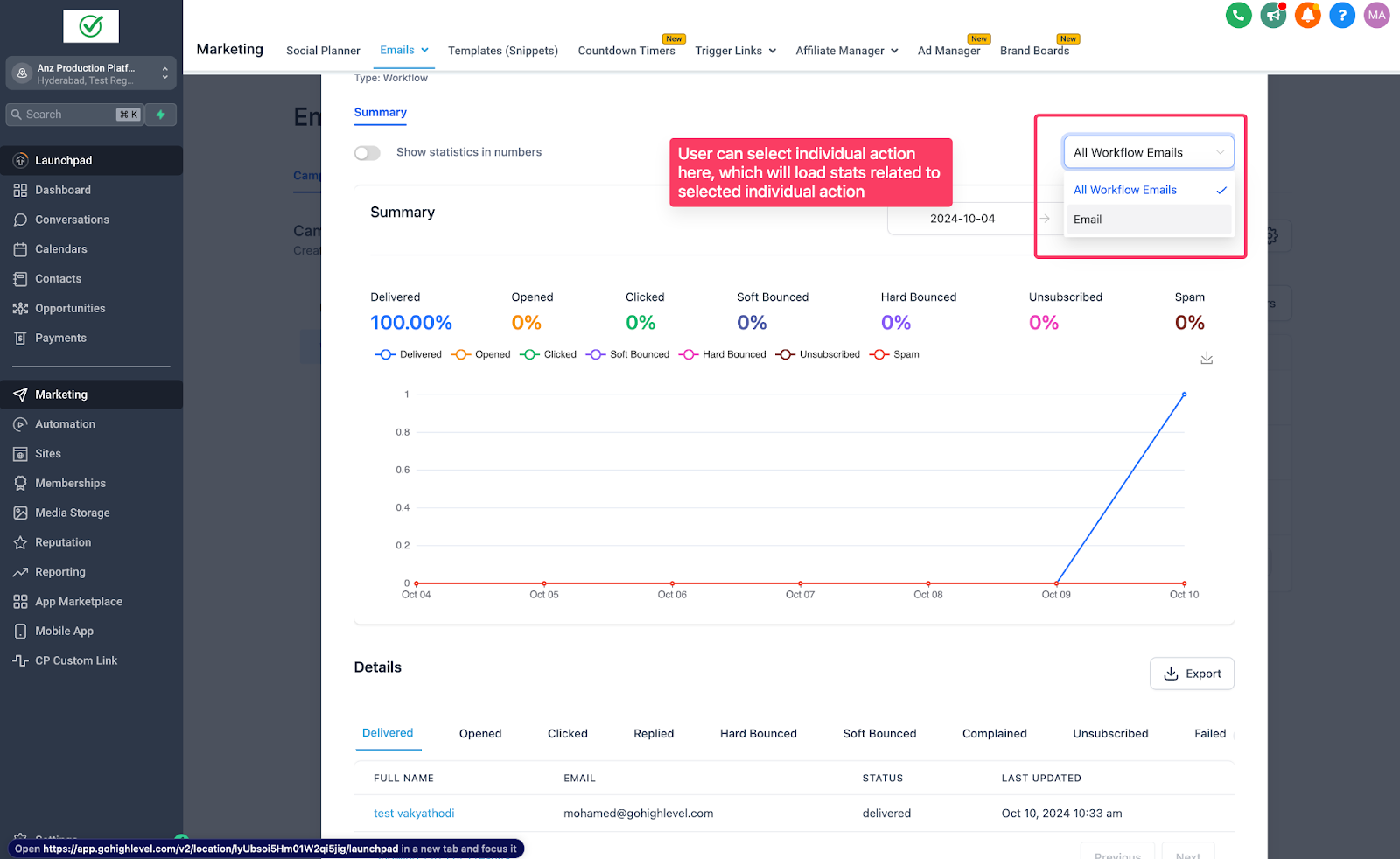
See overall and individual email action stats for a workflow.
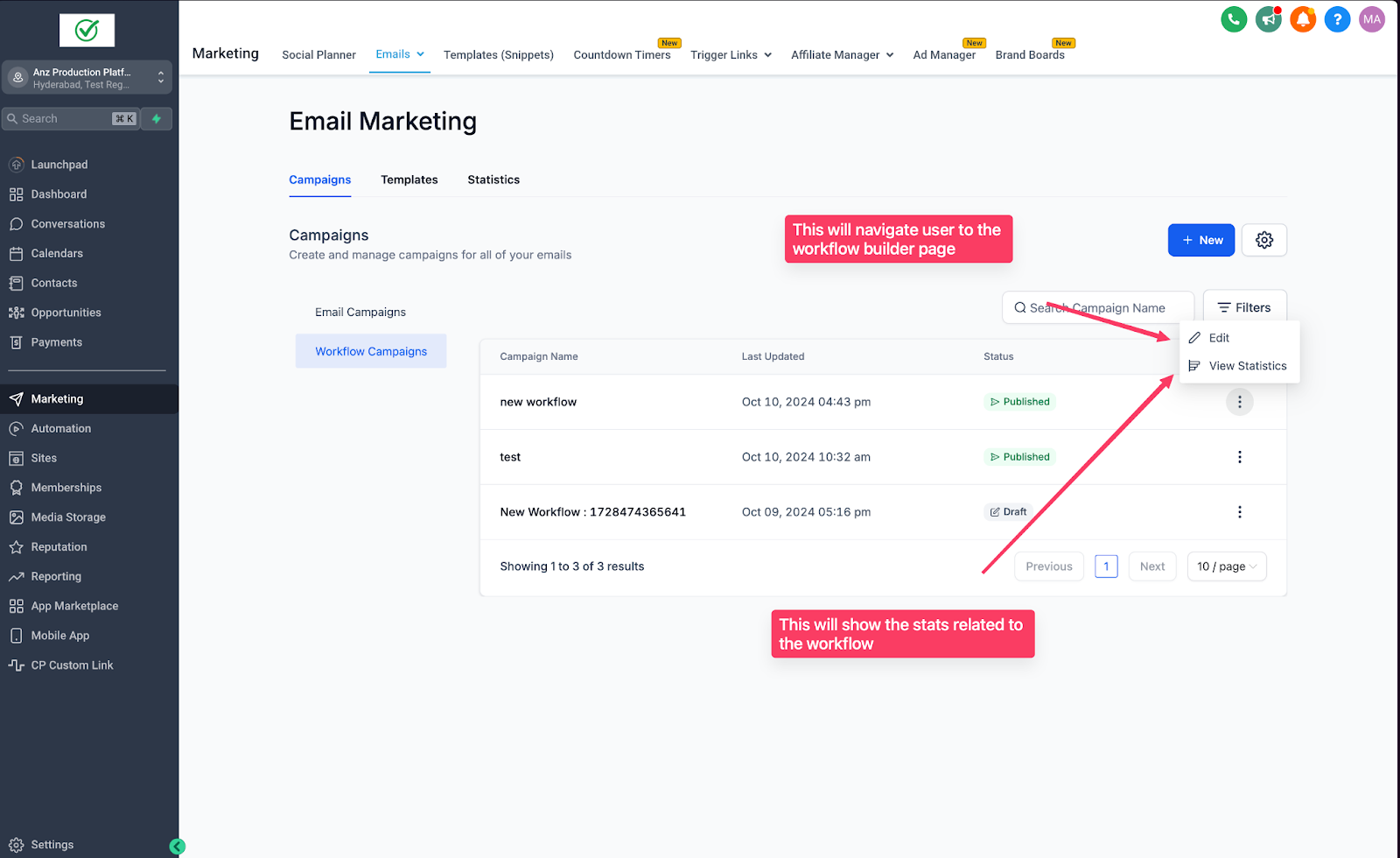
Edit workflows directly from the same screen.
How to Use:
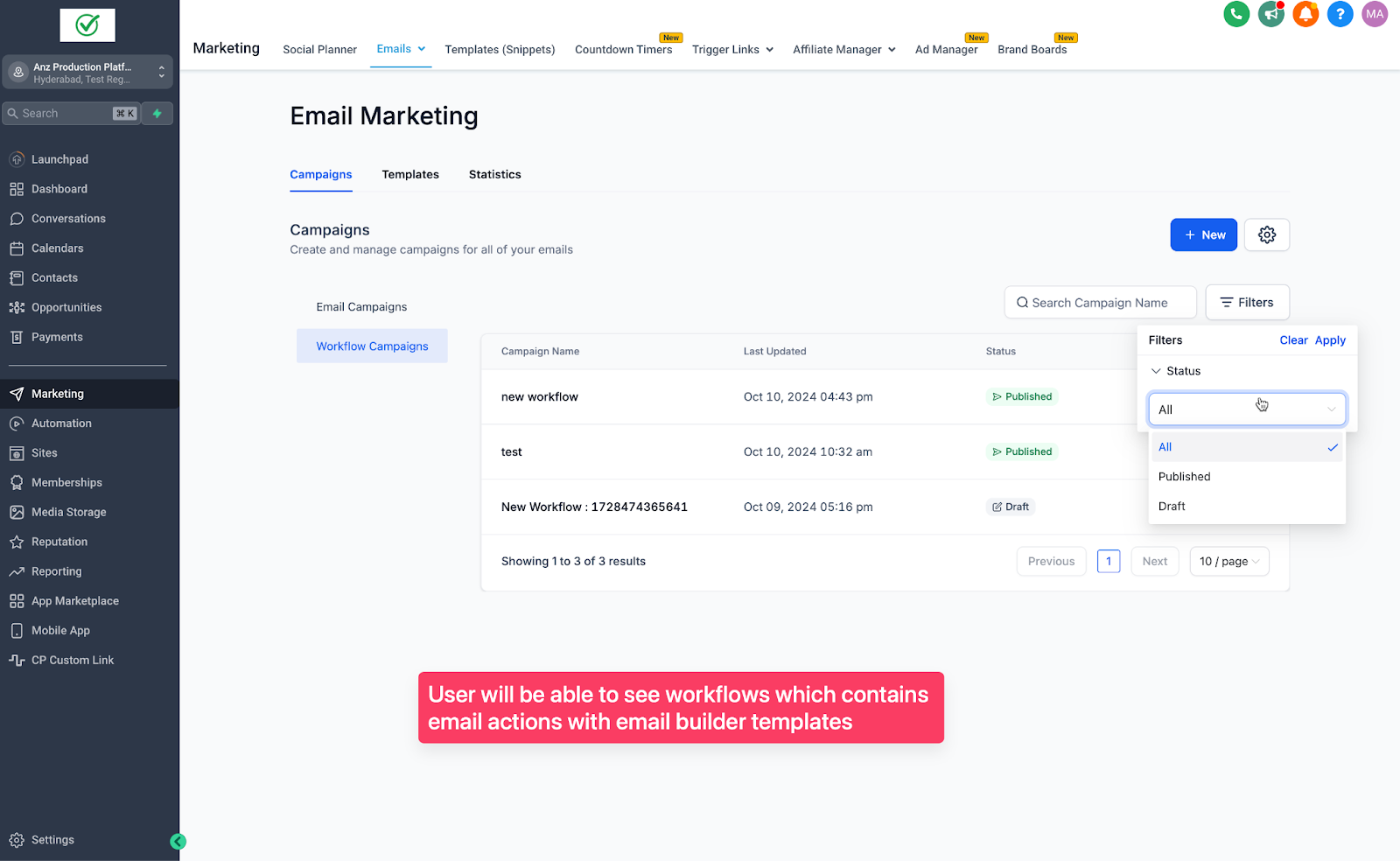
Go to Email Marketing -> Campaigns -> Workflow Campaigns.
Click Edit Workflow to access the builder.
Click Statistics to view workflow stats.
Use the dropdown to see stats for individual email actions.
Note:
- The email action creation and syncing with templates/ creating new templates remains unchanged.
More in Statistics
- How to Access the All-in-One Dashboard for Email Marketing
- How to Export Email Campaign Data
- Email Statistics
- Tag Contacts from Campaign Statistics
- Understanding ROI Conversion Metrics for Tracking Email Campaigns
- Click Performance in Email Statistics
- Email Statistics, Summary Page
- Guide to click tracking in email campaigns