

Email Builder Capabilities
How to Personalise Your Campaigns with Conditional Elements
1 min read Updated 23 August 2026
Use conditional element to effortlessly personalize your campaigns.
What is a Conditional Element?
A conditional element allows you to display content, such as images or text, only if a contact meets certain criteria. This enables you to tailor your messaging to individual contacts automatically.
When Can You Use Them?
- Location-based content: Display different images or offers depending on a contact’s geographic location.
- Field-based text: Change a text element based on specific contact fields, like their job title or interests.
Benefits
- Personalization: Make your campaigns more relevant by showing customized content to each contact.
- Time-Saving: Avoid the need to create smart lists and separate campaigns, use one campaign with conditional elements instead.
Increased Engagement: Showing content that's personalized to each recipient increases the likelihood of higher click-through rates, responses, and conversions.
Simplified Campaign Management: Instead of juggling various lists and campaigns, manage all variations of content in one place, reducing complexity and chances for error.
How to Use Conditional Elements:
- Go to Marketing > Email Marketing.
- Create an email campaign or template.
- Select any element and go to the Visibility tab.
- Enable the Conditional Element toggle.
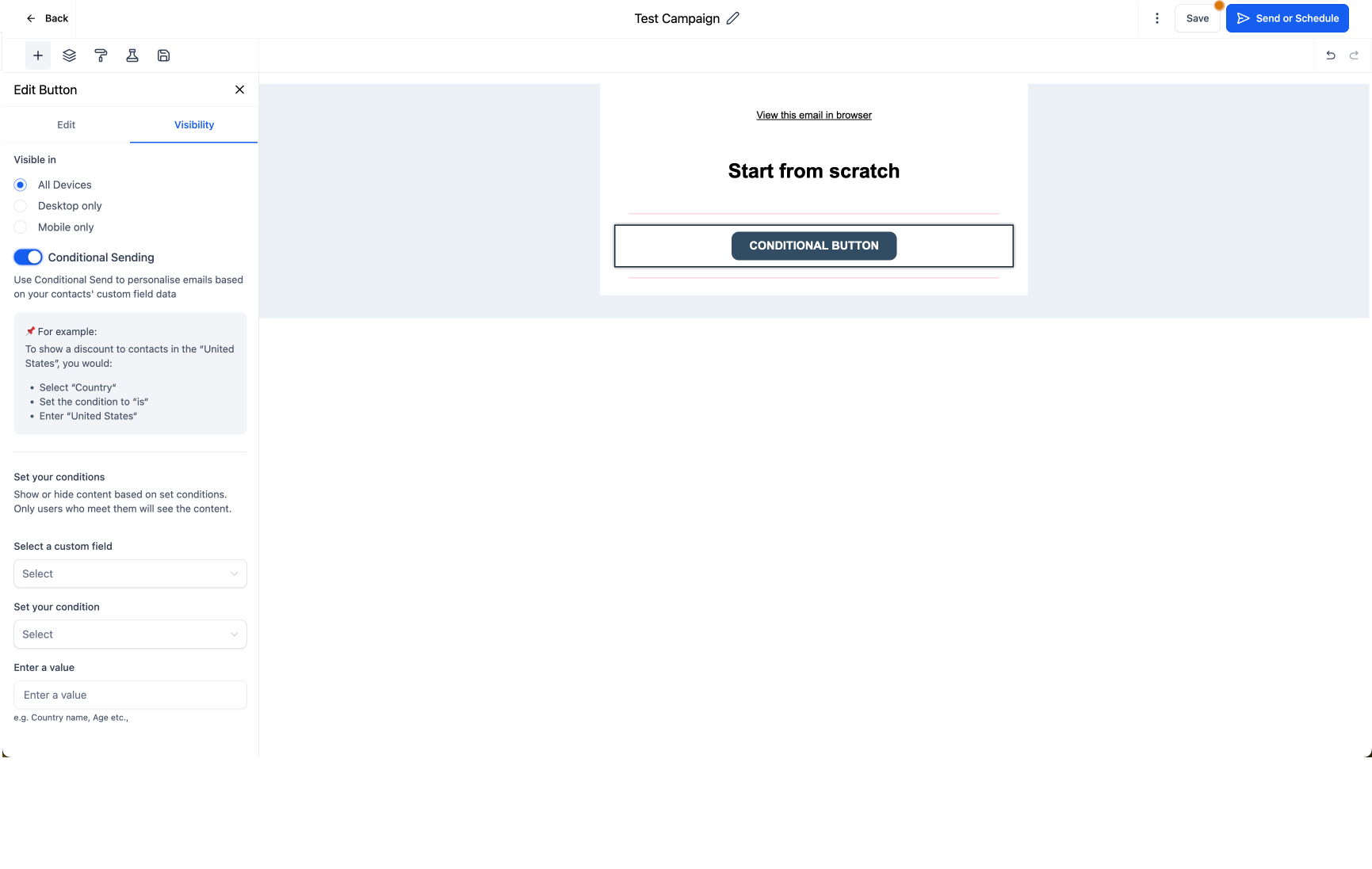
- Set the conditions based on contact fields.
- Alternatively, click on the Conditional Element icon in the element overlay action to add conditions easily.

More in Email Builder Capabilities
- How to Use Footer Element in Email Builder
- FAQ Element in Email Builder
- How to Save and Reuse Items in the Email Builder
- How to set up A/B testing for your Email Campaigns
- Video Element in Email Builder
- Email Builder Autosave
- Shopping Cart Element in Email Builder
- Social Element in Email Builder
- Code Element in Email Builder
- Logo Element in Email Builder
- Button Element in Email Builder
- Different elements in email builder