

How to Uninstall a MCP App from the Marketplace
Understanding App Connections
Currently, the Marketplace supports account-level app connections, meaning an app installation is shared across users within the same account. Multiple users can connect same account with external platforms.
Important: If any user uninstalls an app from a sub-account, the app will be disconnected for all users within that sub-account, regardless of who originally installed or connected it.
Steps to Uninstall an App
Navigate to the App Marketplace from your Agency or Sub-account.
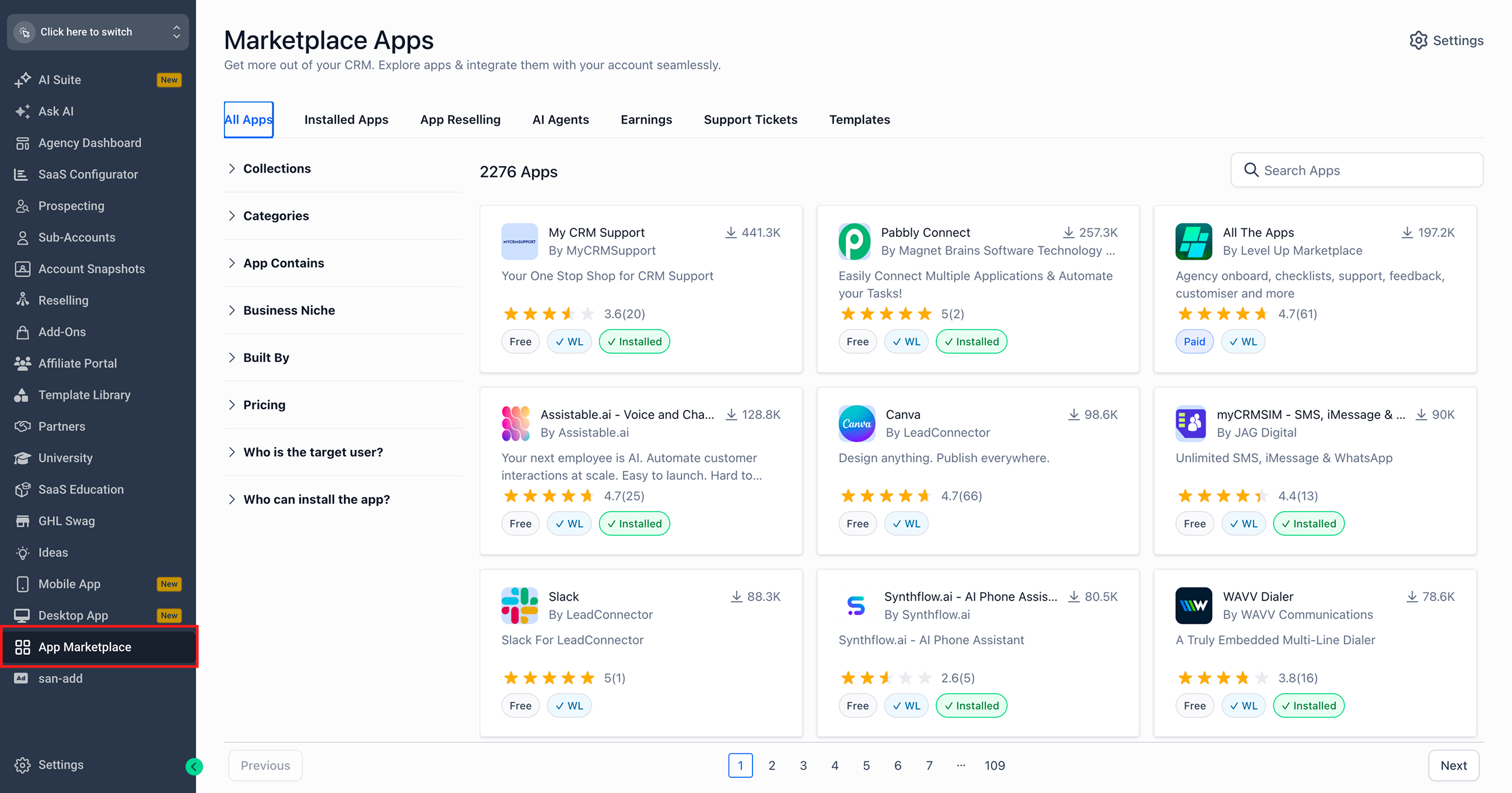
Click the Installed Apps tab.
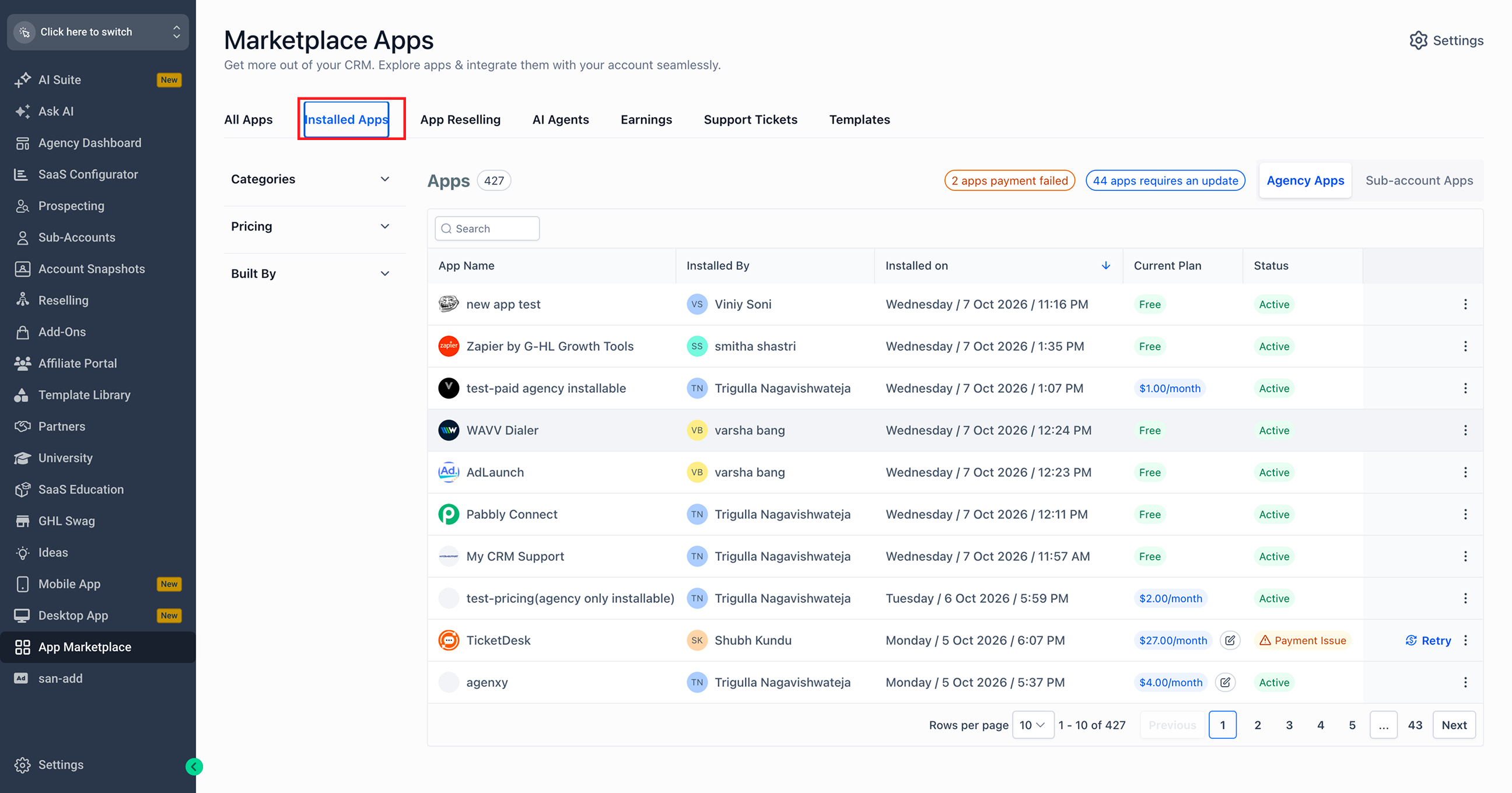
Switch between Agency Apps and Sub-account Apps, as applicable.
Search for the app you want to uninstall.
Click the three-dot menu (⋮) next to the app.
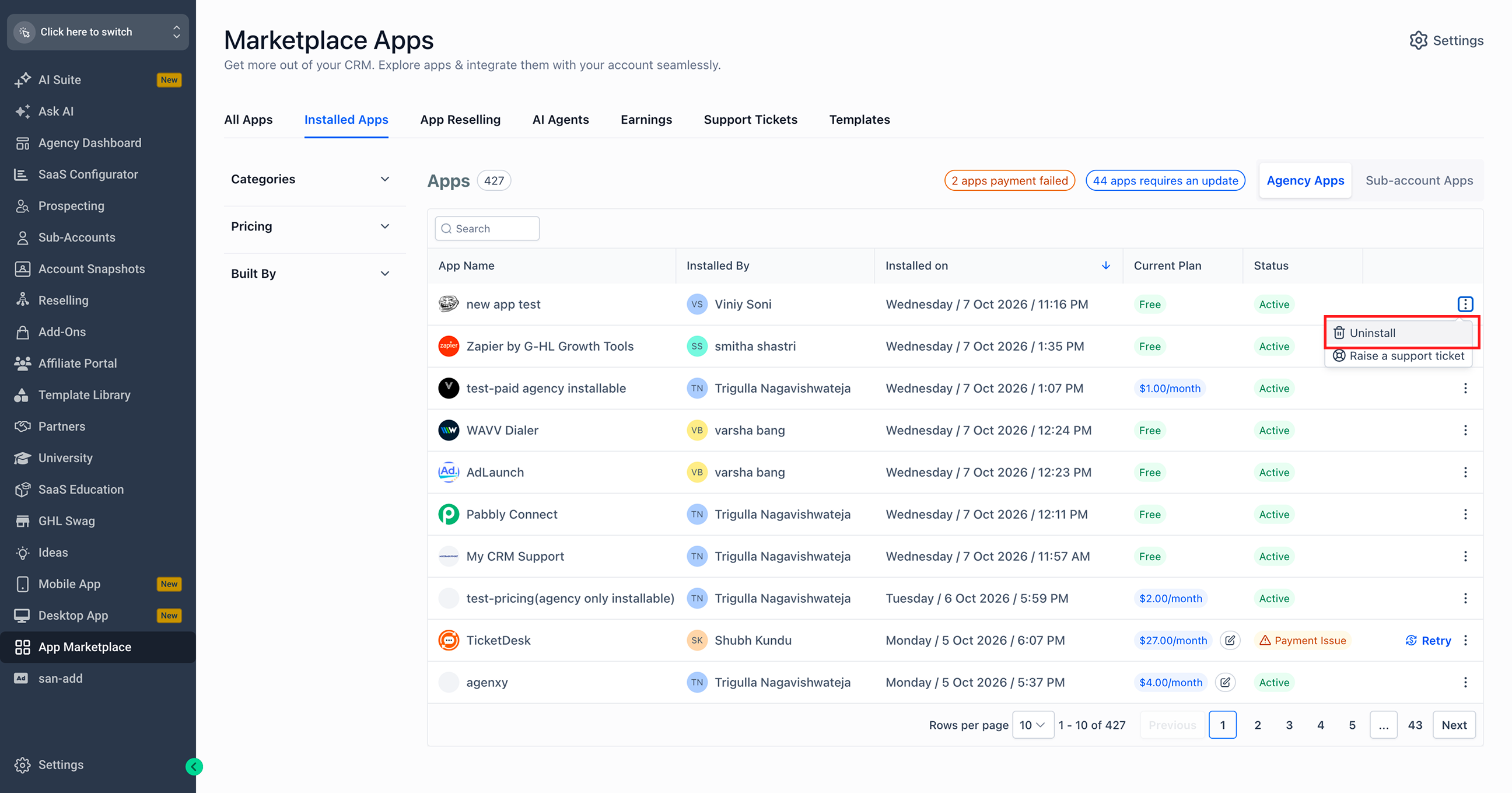
Select Uninstall and sub-accounts to uninstall and continue.
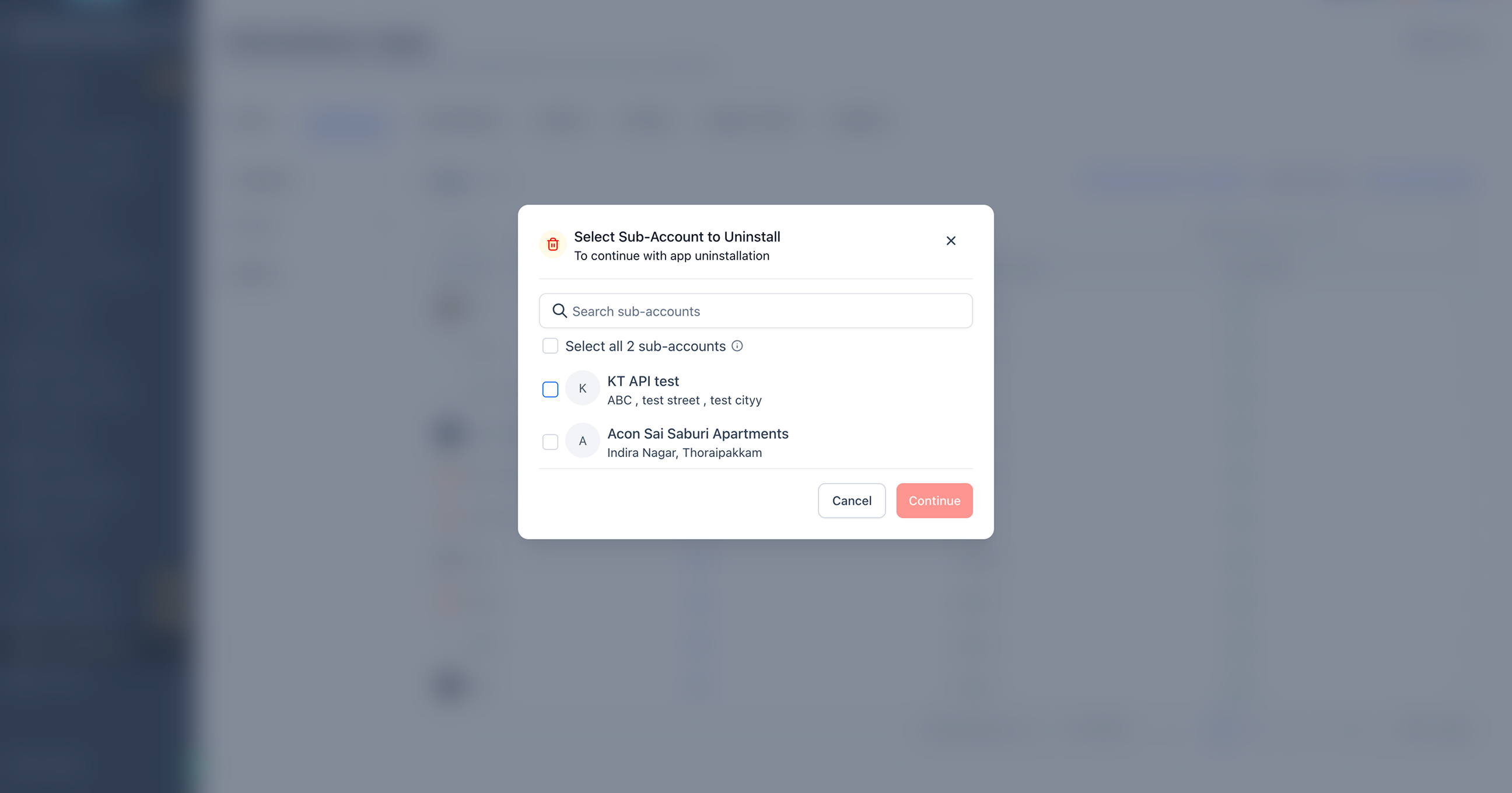
Note: Uninstalling an app removes its connection at the account level, not just for the user performing the action. Ensure the app is no longer required by other users before proceeding.
More in Agent Studio
- Agent Studio - Router Tool (AI & Conditional Router)
- Knowledge Base Retrieval Tester
- How to Use Custom Values and Variables in Agent Studio
- How to Use Brand Voice and Brand Kit in Agent Studio's Flow Builder
- Agent Studio for Multi-Agent Workflows
- Important Update: Agent Studio is Evolving
- Skills Platform for AI Agents
- MCP App Connectors for Managed Agents
- How to Unpublish a Managed Agent
- Deploy to API for Managed Agents
- Connect MCP to Muse
- How to Set Up Contact and Opportunity Triggers for Managed Agents