

Client Portal, Unified Dashboard, Courses & Communities
Client Portal, One Portal. Zero Tab-Hopping.
A unified customer experience bringing Dashboard, Courses, Communities, billing, shared files, and account settings into one connected, branded home.What You'll LearnThis article covers the unified Client Portal experience that connects Dashboard, Courses, Communities, billing, files, and account settings into a single, seamless customer journey.
You'll learn how to enable the experience, what customers will notice, and how this modernized platform improves performance, navigation, SEO discoverability, and brand consistency across all customer touchpoints.
Labs FeatureThe new Client Portal experience is built on Labs. This platform represents a modern architectural foundation that enables faster performance, deeper customization, and continuous feature development. Existing portal functionality remains fully supported as customers migrate to this enhanced experience.
Table of Contents1What is the Unified Client Portal?2Key Benefits3What Customers Will Notice4SEO and Public Discoverability5Platform Architecture and Future Capabilities6Frequently Asked Questions7Need Help?1What is the Unified Client Portal?
The Unified Client Portal connects Dashboard, Courses, Communities, billing, shared files, and account settings into a single, cohesive customer experience. Instead of managing these features as separate applications with different tabs, navigation patterns, and login flows, customers access everything through one branded, connected portal.
This architecture eliminates the need for customers to switch contexts between sections. Whether they're continuing a course, checking community activity, reviewing an invoice, downloading a shared file, or updating profile settings, the experience feels like part of the same journey, not separate products stitched together.
The platform runs on a modern, shared architecture that enables faster page loads, smoother transitions, consistent branding, and a foundation for future customer-facing capabilities.
2Key Benefits
The unified Client Portal delivers measurable improvements in customer experience, performance, brand consistency, and platform flexibility.
One login, one navigation, Customers no longer switch between separate applications or tabs to access Courses, Communities, Dashboard, billing, files, and account settings. Everything is accessible from one connected experience.Faster performance, The modernized platform delivers faster page loads, smoother transitions, and a more responsive experience across desktop and mobile devices.Consistent brand experience, From login to Courses, Communities, billing, and files, customers interact with a polished, professional interface that keeps your business brand front and center.Improved content discovery, The redesigned dashboard and unified navigation make it easier for customers to find courses in progress, community activity, billing items, shared files, and other content without repeated context switching.SEO-ready public pages, Eligible public Course and Community pages include search-friendly rendering, crawlable URLs, and page metadata, helping search engines discover and index your content while private content remains protected.Foundation for future capabilities, The shared architecture enables faster delivery of upcoming features like appointments inside the portal, custom navigation links, deeper customization, expanded branding options, and richer Community experiences.3What Customers Will Notice
Customers interact with the portal through several key improvements that reduce friction, increase speed, and simplify navigation across all customer-facing sections.
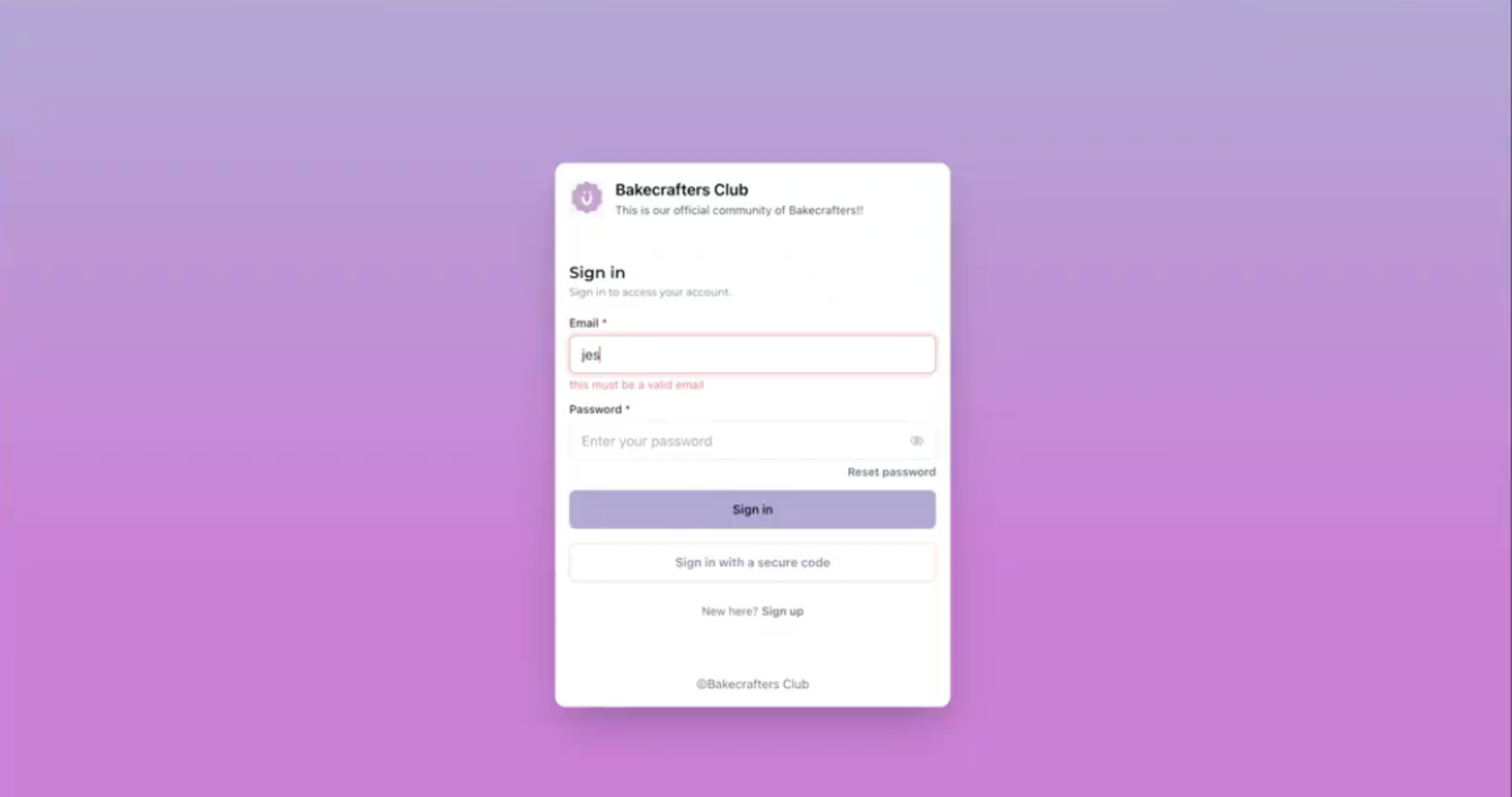
Feature 1One Consistent Brand ExperienceThe redesigned login and portal experience keep your business brand front and center. From login to Courses, Communities, billing, and files, customers get a more consistent, polished, and professional experience that reinforces your brand identity at every touchpoint.
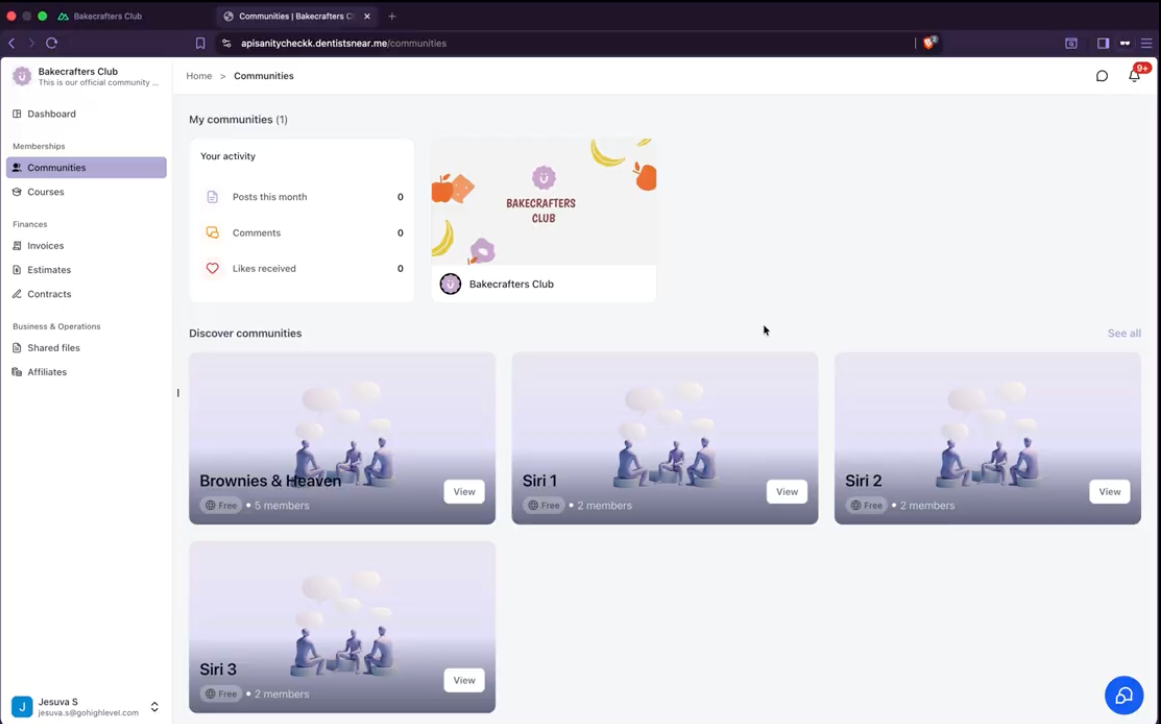
 Feature 2Smoother App Switching
Customers move naturally between Courses, Communities, Dashboard, billing, and shared files without the experience feeling disconnected. Navigation remains consistent across sections, eliminating the need to reorient when switching between activities.
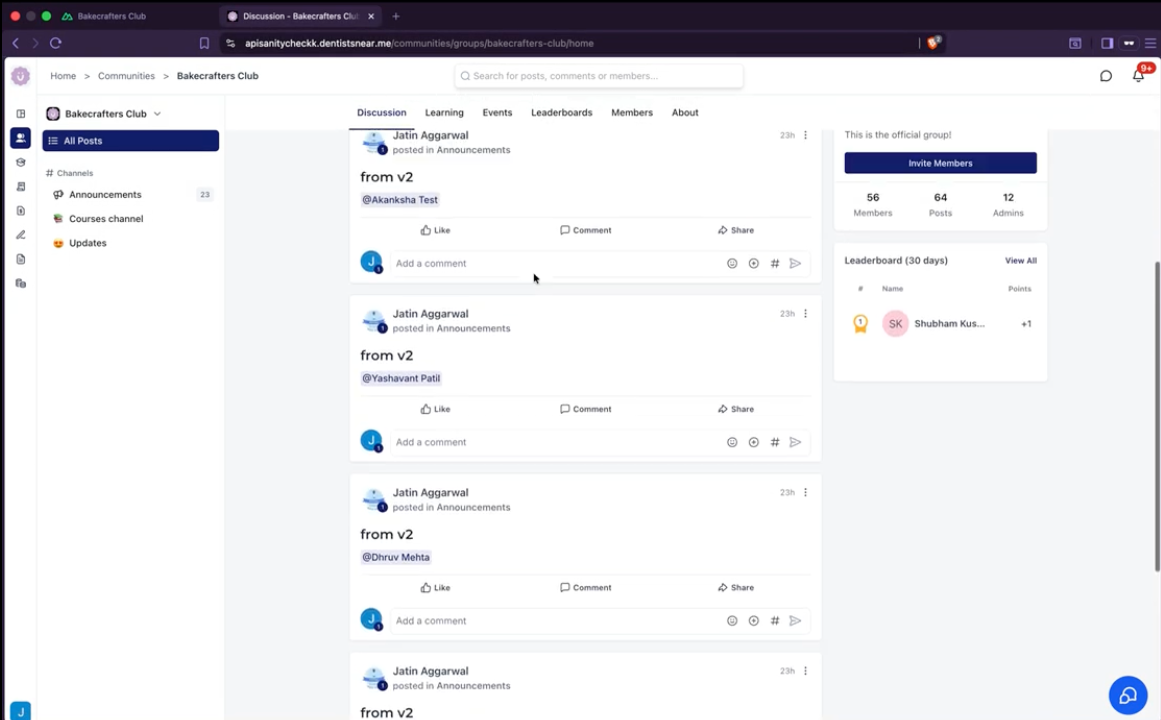
 Feature 3Access to All Features
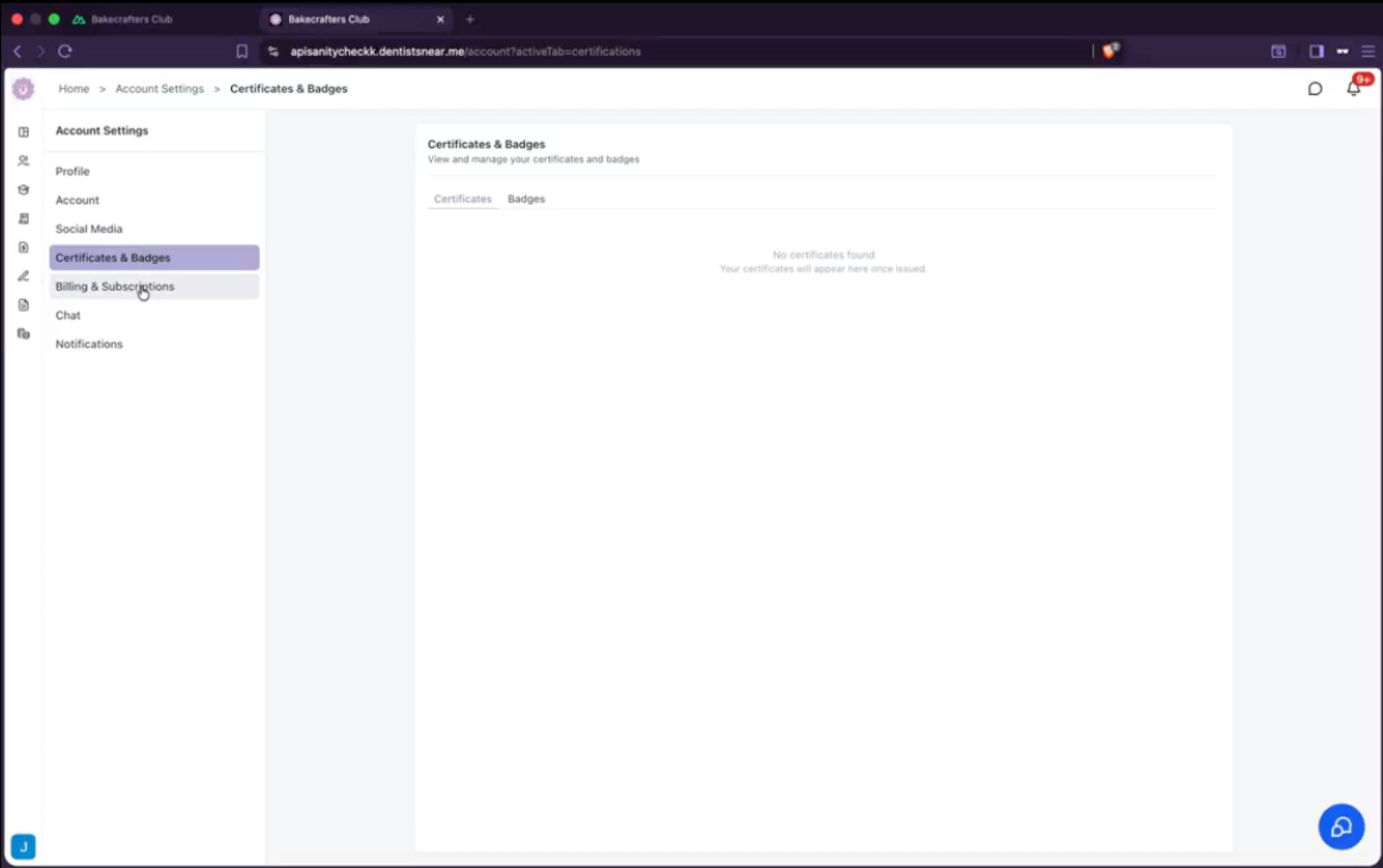
The unified portal provides seamless access to Communities, Courses, account settings, billing and subscriptions, shared files, and certificates and badges, all through one consistent navigation experience.
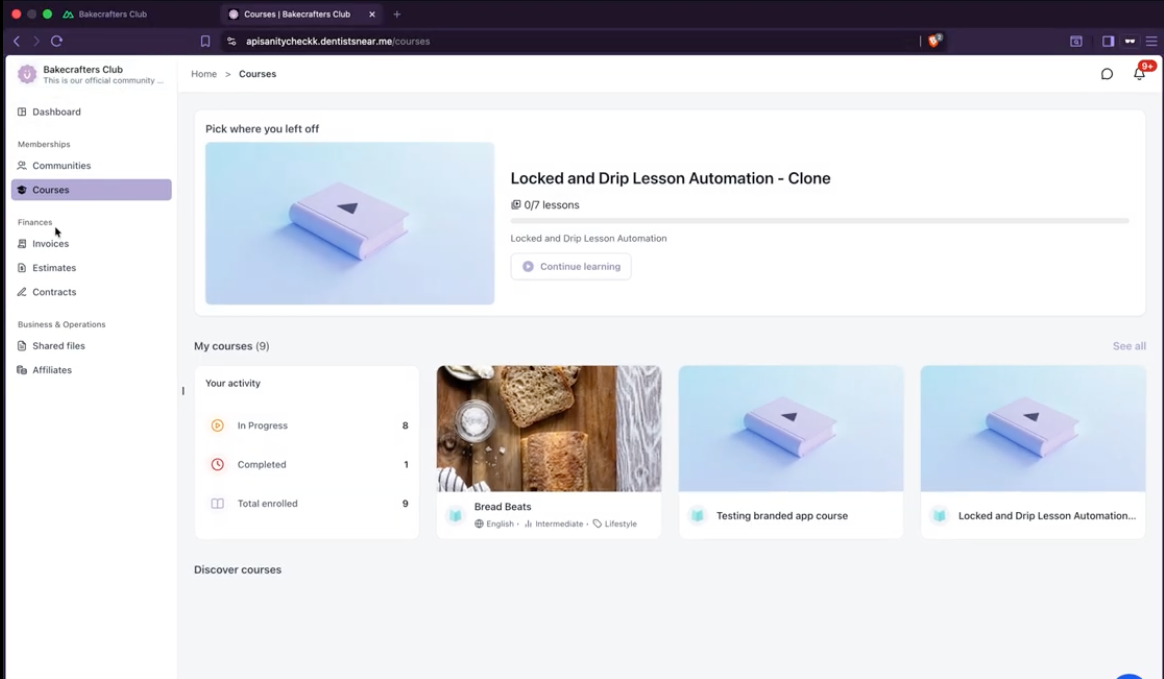
 Feature 4Easier Content Discovery
The redesigned dashboard and unified navigation make it easier for customers to find:
- Courses in progress
- Community activity
- Continue Watching
- Pinned Communities
- Billing items
- Shared files
Customers can quickly understand where they are and what to do next without repeated context switching.
 Feature 5Unified Account Settings
Customers can manage all account settings in one place, including profile information, social media connections, certificates and badges, billing and subscriptions, chat preferences, and notifications, all accessible through the unified portal navigation.
 What's NextBuilt for Growth and Future CapabilitiesThis modern foundation unlocks appointments, custom navigation, deeper customization, and richer customer experiences.4
SEO and Public Discoverability
The unified portal expands how businesses can reach customers beyond the portal itself. Eligible public Course and Community pages are SEO-ready, with search-friendly rendering, crawlable URLs, and page metadata that help search engines understand and discover the content.
This gives businesses more opportunities to:
- Increase the reach of public Courses and Communities
- Help new audiences discover valuable content
- Build organic visibility around their expertise
- Turn public content into a stronger growth channel
Private, gated, and customer-only content remains fully protected. SEO-ready rendering applies only to public-facing Course and Community pages that you choose to make discoverable.
5Platform Architecture and Future Capabilities
The unified portal represents more than a visual refresh. It migrates Client Portal, Courses, and Communities from separate legacy experiences to connected applications built on a shared, modern architecture.
This architectural upgrade makes it possible to deliver:
- Faster and smoother navigation
- A consistent login and customer journey
- Better performance across devices
- Search-engine-friendly public pages
- A shared foundation across customer-facing products
- Faster delivery of future improvements
- Greater flexibility for branding and customization
This foundation unlocks upcoming customer-facing capabilities, including:
- Appointments inside the Client Portal
- Custom navigation links
- Deeper portal customization
- Expanded branding options
- Richer Community and event experiences
- More customer self-service capabilities
Frequently Asked Questions
Q: Does enabling the unified portal affect existing customer logins or URLs?No. The unified portal does not change existing routing, URLs, or customer login flows. Customers continue accessing the portal using the same credentials and entry points. The experience inside the portal is unified and modernized without disrupting external access.Q: Will private Courses and Communities be indexed by search engines?No. Private, gated, and customer-only content remains fully protected. SEO-ready rendering applies only to public-facing Course and Community pages that you choose to make discoverable. Private content is never crawled or indexed by search engines.Q: Can I customize the branding and navigation in the unified portal?The unified portal already maintains your business brand across all customer touchpoints. Deeper customization options, including custom navigation links and expanded branding settings, are coming soon as part of the platform's future capabilities.Q: What happens to existing customer data when I enable the unified portal?All existing customer data, progress, enrollments, and settings remain intact. The unified portal migrates the customer experience to a modern architecture without affecting data, workflows, or integrations. Customers continue from where they left off without interruption.Q: Is there a difference in performance between desktop and mobile?The unified portal delivers faster page loads, smoother transitions, and a more responsive experience across both desktop and mobile devices. The platform is optimized for performance on all screen sizes.Q: Can I disable the unified portal after enabling it?The unified portal is designed as a permanent upgrade to the customer experience. Once enabled, it replaces the legacy fragmented experience with a modern, connected platform. If you have concerns about enablement, contact support for guidance before activating.Q: When will appointments be available inside the Client Portal?Appointments inside the Client Portal are part of the upcoming capabilities enabled by the unified platform architecture. Release timelines for this and other future features will be announced as development progresses. The unified portal creates the foundation for these customer-facing enhancements.Q: Does the unified portal support all existing Client Portal features?Yes. The unified portal maintains full feature parity with the existing Client Portal while adding performance improvements, consistent navigation, and a modernized architecture. All existing features, including Courses, Communities, billing, shared files, and account settings, are fully supported.7Need Help?If you have questions about enabling the unified portal, customizing the customer experience, or troubleshooting issues, follow these steps:
- Navigate to Client Portal Dashboard in the app for enablement options and settings
- Contact support directly from the app for assistance with enablement or configuration
- Review the screenshots in this article for visual guidance on the unified portal experience
More in Communities
- How to Setup, Customize, and Manage Your Communities
- How to Manage Members Inside groups
- Content Management in Communities
- Kajabi Importer: Easily Move Courses to the Platform
- Gamification - Points, Badges and Leaderboard
- Announcements Builder
- Share Meeting Recordings as Community Posts
- Communities Live Session Enhancements: Personal Meeting Links, Recordings Hub & Noise Cancellation
- How to Use GoKollab Chats for Direct Messages in Communities
- Tag Channels and Events in Community Posts
- Communities Workflow Triggers for Posts, Comments, Requests, and Events
- Post Creation Nudges in Communities