

Funnels & Websites Builder
Migration of existing domains
1 min read Updated 31 August 2026
We're excited to announce a smoother process for migrating your existing domains to CloudFlare with our latest release. Say goodbye to the hassle of deletions and re-additions, introducing One-Click Migration with Domain Connect!
Why is it good for you to migrate the domains
- Funnels & websites are now 15% faster than before.
- Better caching of pages, easy prevention of DDoS attacks.
- More added security features.
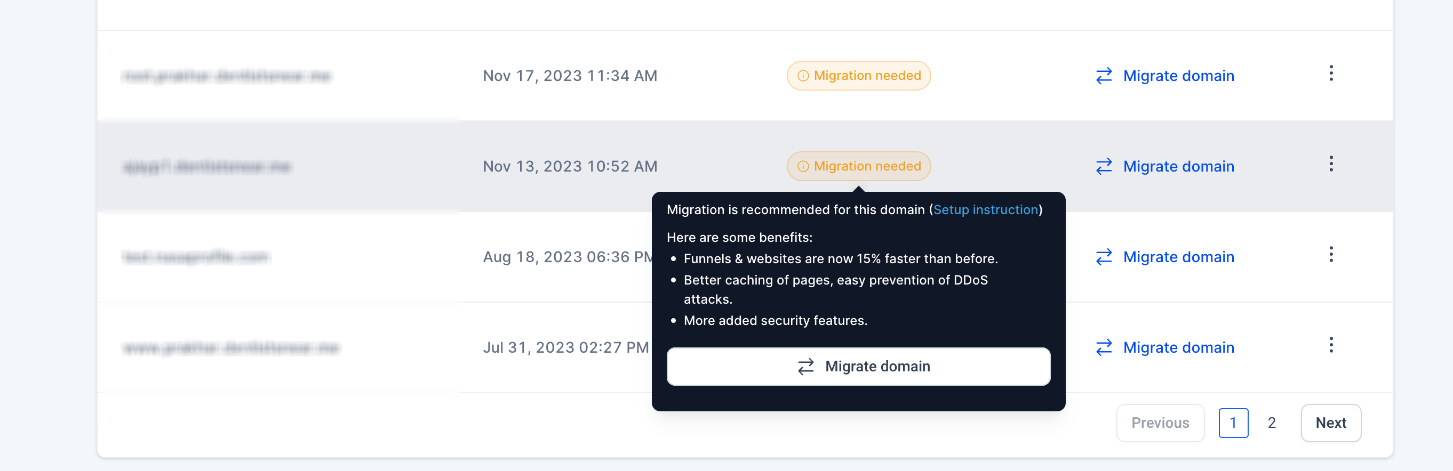
How to switch?
Automated Flow:
- Go to Domains Page
- Click on the Migrate Domain button.
- The Domain Connect flow will initiate.
- Simply follow the prompts, and update your DNS entries automatically.
- That’s it! Your domain migration to CloudFlare is complete, without any fuss.
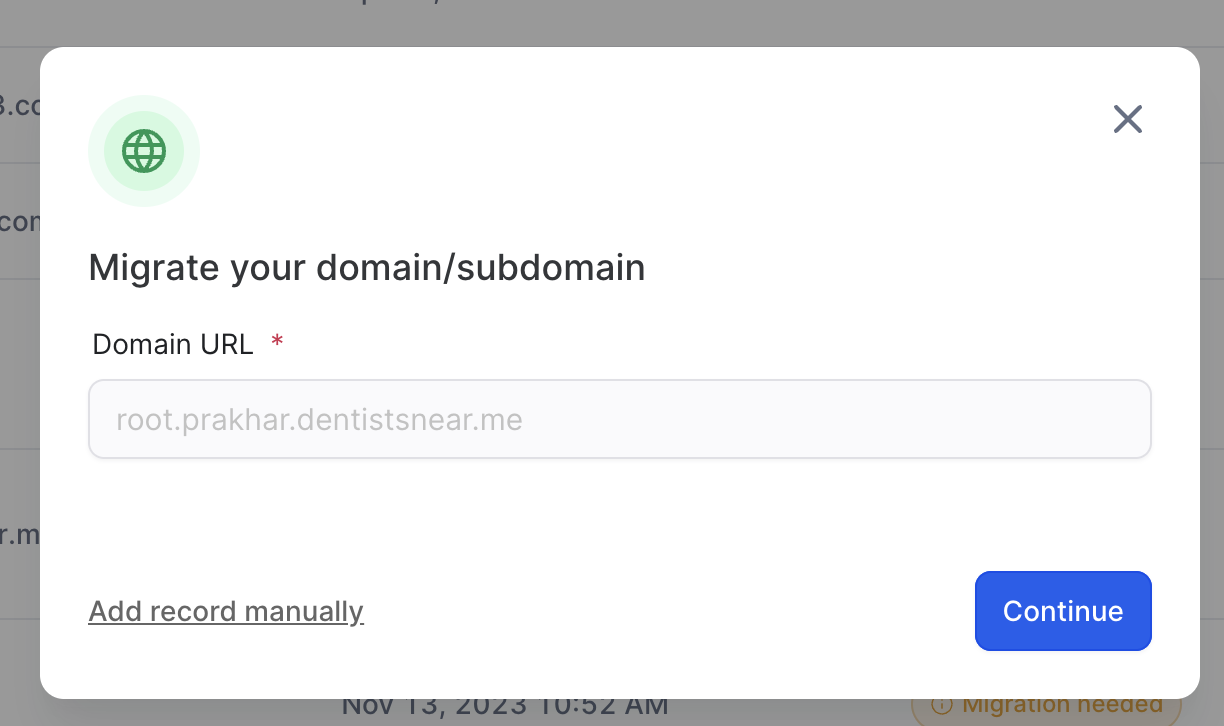
- Click on the Migrate Domain button.
- Update your DNS entries:
- For CNAME records, point them to sites.ludicrious.cloud.
- For the Apex record set the IP address to 162.159.140.166.
- Click on the Authorize domain button verify that records.
- Congratulations! Your domain is now on CloudFlare.
More in Funnels & Websites Builder
- Cookie Policy Details
- Marketing Tools to use in Funnel/Website - Cookie Banner
- How to Use the Cookie Consent Banner in Funnels & Websites
- Nested URL Paths Support Guide
- Guide: Funnel & Website Stats Definitions
- Funnels & Websites - Schema Markup Generator
- How to Create a Funnel Using Templates, Forms, and a Custom Domain
- Create Blog Posts with AI
- Product Media Layouts for the Product Details Page
- Border Control in Page Builder
- Entrance Animations for Sections, Rows & Columns
- Make Your Sites AI-ready with llms.txt